

Nicht kategorisierte Dateien
Nachfolgend werden bis zu 50 Ergebnisse im Bereich #1.351 bis #1.400 angezeigt.
-
 Software CAD - Tutorial - button rechteck 2punkte.gif 70 × 38; 1 KB
-

-
 Software CAD - Tutorial - button rechteckige anordnung.gif 22 × 22; 413 Bytes
-

-
 Software CAD - Tutorial - button spiegeln.gif 32 × 32; 1 KB
-
 Software CAD - Tutorial - button steering-wheel.gif 30 × 31; 1 KB
-
 Software CAD - Tutorial - button stil-editor.gif 61 × 72; 2 KB
-
 Software CAD - Tutorial - button symmetrie.gif 24 × 22; 366 Bytes
-
 Software CAD - Tutorial - button symmetrielinie.gif 22 × 22; 396 Bytes
-
 Software CAD - Tutorial - button tangential.gif 30 × 29; 513 Bytes
-
 Software CAD - Tutorial - button tangential innen.gif 29 × 28; 674 Bytes
-
 Software CAD - Tutorial - button teileliste.gif 31 × 30; 526 Bytes
-
 Software CAD - Tutorial - button text.gif 47 × 22; 1 KB
-
 Software CAD - Tutorial - button toleranz median.gif 28 × 27; 955 Bytes
-
 Software CAD - Tutorial - button toleranz nennwert.gif 28 × 27; 960 Bytes
-
 Software CAD - Tutorial - button toleranz oberer wert.gif 28 × 27; 932 Bytes
-
 Software CAD - Tutorial - button toleranz unterer wert.gif 28 × 27; 909 Bytes
-
 Software CAD - Tutorial - button undo.gif 24 × 22; 990 Bytes
-
 Software CAD - Tutorial - button verbindung.gif 32 × 32; 1 KB
-
 Software CAD - Tutorial - button verbindung gelenk.gif 30 × 30; 1 KB
-
 Software CAD - Tutorial - button verbindung gelenkursprung1.png 25 × 19; 890 Bytes
-
 Software CAD - Tutorial - button verbindung gelenkursprung2.png 25 × 19; 893 Bytes
-
 Software CAD - Tutorial - button verbindung komponente umkehren.png 15 × 16; 822 Bytes
-
 Software CAD - Tutorial - button verbindung typ drehung.png 16 × 16; 538 Bytes
-
 Software CAD - Tutorial - button viewcube.gif 101 × 120; 3 KB
-
 Software CAD - Tutorial - button viewcube start.gif 96 × 98; 2 KB
-
 Software CAD - Tutorial - button zeichnen polygon.gif 66 × 22; 1 KB
-
 Software CAD - Tutorial - button zeichnungstext.gif 38 × 72; 1 KB
-
 Software CAD - Tutorial - button zoom-typen.gif 220 × 111; 2 KB
-
 Software CAD - Tutorial - button zoom all.gif 22 × 22; 1 KB
-
 Software CAD - Tutorial - button zoom menue.gif 187 × 74; 2 KB
-
 Software CAD - Tutorial - button zusammenfuegen.gif 32 × 32; 1 KB
-
 Software CAD - Tutorial - kontext bemaszung erstellen.gif 119 × 17; 391 Bytes
-
 Software CAD - Tutorial - kontext erstansicht.gif 110 × 22; 1 KB
-
 Software CAD - Tutorial - kontext linie.gif 110 × 22; 1.022 Bytes
-
 Software CAD - Tutorial - navigationsleiste.gif 36 × 146; 2 KB
-
 Software FEMAP button messages.gif 22 × 22; 501 Bytes
-
 Software FEMAP button view options.gif 22 × 22; 373 Bytes
-
 Software FEMAP button view select.gif 22 × 22; 416 Bytes
-
 Software FEMAP button view style.gif 33 × 22; 554 Bytes
-
 Software FEMAP button view visibility.gif 22 × 22; 485 Bytes
-
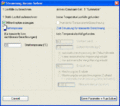 Software FEMAP means mittenknoten ein.gif 486 × 429; 27 KB
-
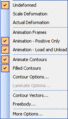 Software FEMAP menue postprocess.gif 172 × 302; 3 KB
-
 Software FEMAP menue view style.gif 182 × 349; 5 KB
-
 Software FEMAP toolbar-panes.gif 216 × 44; 3 KB
-
 Software FEMAP toolbar-post.gif 281 × 44; 2 KB
-
 Software FEMM - Elektrostatik - Beispiel leiterplatte.gif 356 × 238; 7 KB
-
 Software FEMM - Elektrostatik - Einstieg Quadkoax.gif 340 × 331; 15 KB
-
 Software FEMM - Elektrostatik - Einstieg button-grid-size.gif 23 × 23; 221 Bytes
-
 Software FEMM - Elektrostatik - Einstieg button-show-grid.gif 24 × 22; 194 Bytes


